
Backup and Recovery
A backup that's never been restored is just a hope. We set up backup systems that are automated, verified, and actually tested — so when data needs to come back, it does.
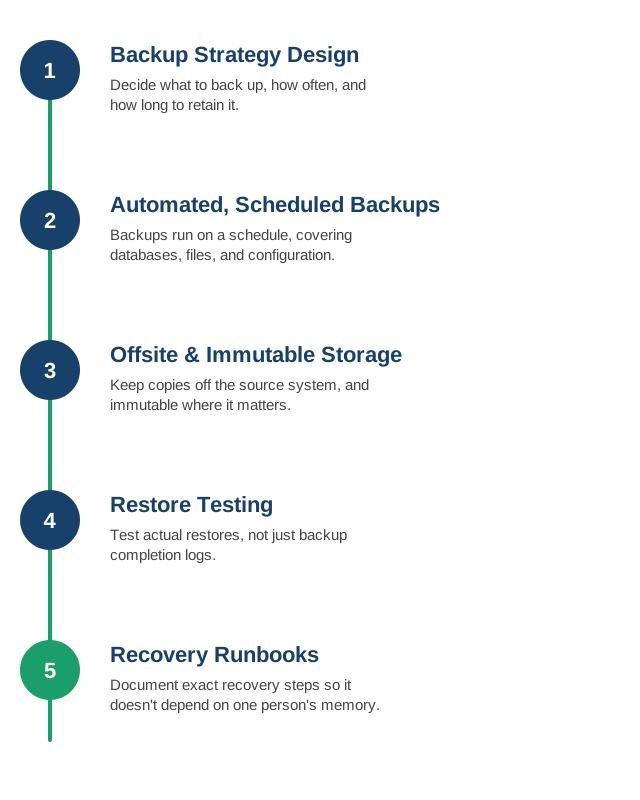
1. Backup Strategy Design
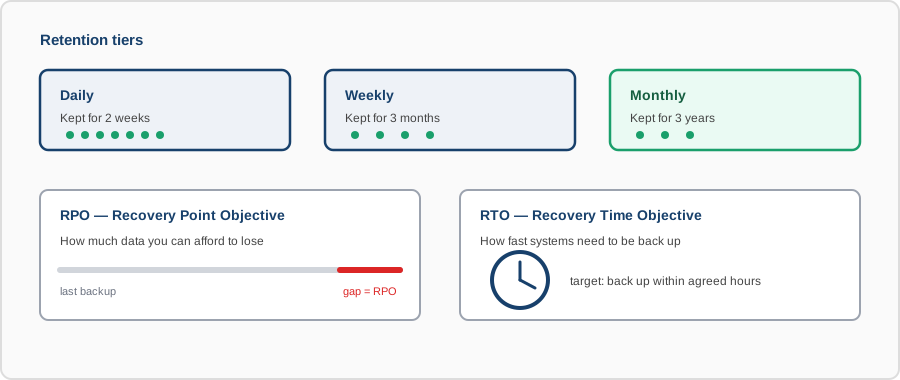
We work out what needs to be backed up, how often, and for how long it needs to be retained, based on how critical the data is and how quickly you'd need it back.
- RPO and RTO targets: how much data loss is tolerable (Recovery Point Objective) and how fast you need to be back up (Recovery Time Objective) — set deliberately, not left undefined until an incident forces the question.
- Coverage scope: databases, file storage, configuration, and infrastructure state — the things that are easy to forget until the day you need them.
- Retention tiers: daily backups kept for weeks, weekly for months, monthly for years — matched to how far back you'd realistically need to recover from.
- Criticality mapping: not every system needs the same backup frequency; the strategy matches effort to what actually matters.
2. Automated, Scheduled Backups
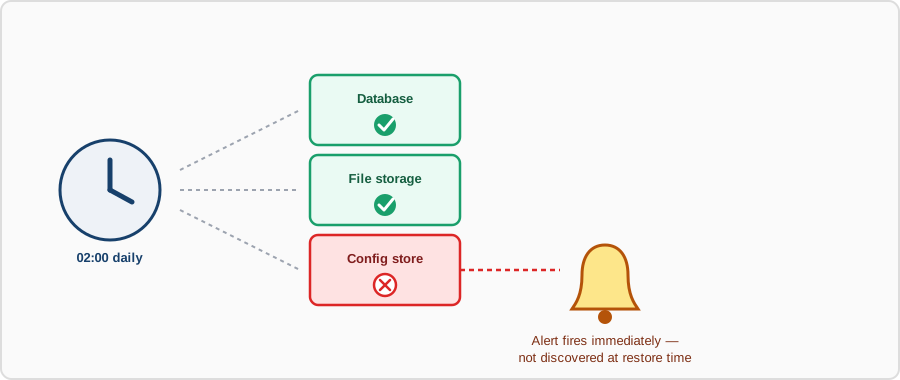
Backups run on a schedule without relying on someone remembering to trigger them, covering databases, file storage, and configuration alike.
- No manual trigger required: backups run on their own schedule — reliability doesn't depend on someone remembering.
- Consistent, application-aware snapshots: databases backed up in a way that produces a usable, consistent copy, not a half-written file mid-transaction.
- Success and failure alerting: a failed backup job triggers an alert immediately, not a silent gap discovered only when you need to restore.
- Configuration as part of the backup: infrastructure and application config captured alongside data, since restoring data to a differently configured system doesn't fully recover anything.
3. Offsite and Immutable Storage
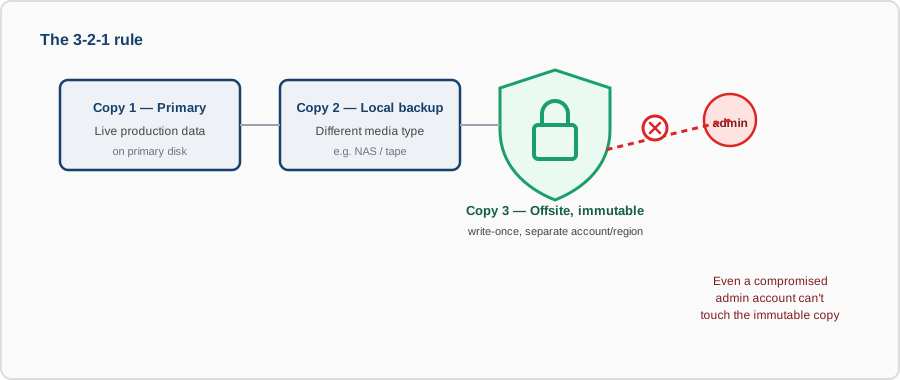
Copies are kept off the source system — and where it matters, made immutable — so a compromised server, a ransomware event, or a deleted volume doesn't also take out the backup.
- Physical and logical separation: backups live outside the blast radius of the system they protect — a different account, region, or provider where it matters most.
- Immutability where it counts: write-once storage for critical backups, so not even an attacker with admin credentials can delete or encrypt them.
- 3-2-1 as a baseline: at least three copies, on two different media types, with one offsite — a well-worn rule because it actually works.
- Access control on backup systems: backup storage locked down independently, so compromising production doesn't automatically mean compromising the backups too.
4. Restore Testing
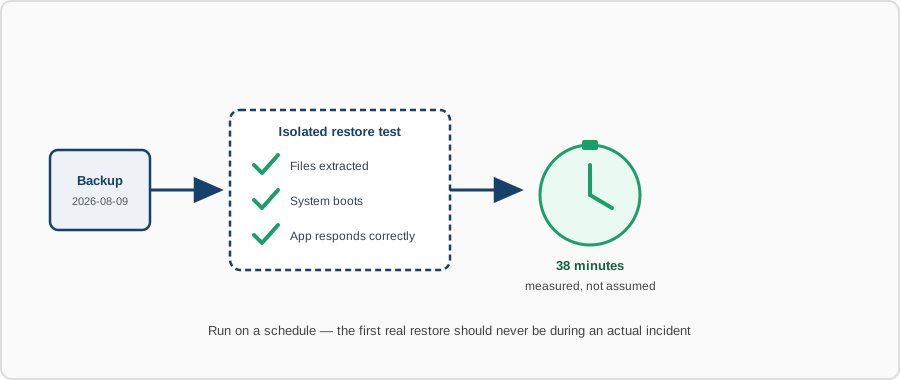
We periodically test actual restores, not just backup completion logs, because a backup you've never restored is an untested assumption.
- Scheduled restore drills: a real restore performed on a set cadence, not only attempted for the first time during an actual emergency.
- Full-stack validation: confirming the restored system actually boots and functions, not just that the files extracted without error.
- Time-to-restore measurement: tracking how long a real restore takes, so your RTO target is based on evidence, not optimism.
- Findings fed back: gaps found during a test — missing files, broken scripts, outdated docs — get fixed before they matter, not during the real incident.
5. Recovery Runbooks
We document the exact recovery steps for your systems, so restoring data doesn't depend on one person's memory during an already stressful incident.
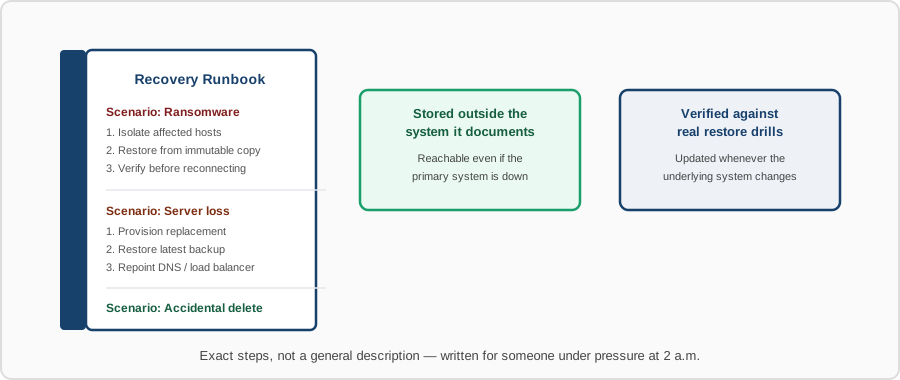
- Step-by-step procedures: exact commands and order of operations for restoring each system, not a general description of the process.
- Scenario coverage: separate runbooks for different failure types — accidental deletion, full server loss, ransomware — since the right response differs by scenario.
- Accessible when it matters: runbooks stored somewhere reachable even if the primary system they document is the one that's down.
- Kept current: runbooks updated whenever the underlying system changes, verified against the restore drills rather than left to go stale.
Contact us to review your current backup coverage, or to set one up where none exists yet.