
Network Configuration and Monitoring
A well-configured network is the foundation everything else runs on. We design, configure, and continuously monitor networks so that traffic flows where it should, unauthorized access is blocked, and problems surface before they become outages.
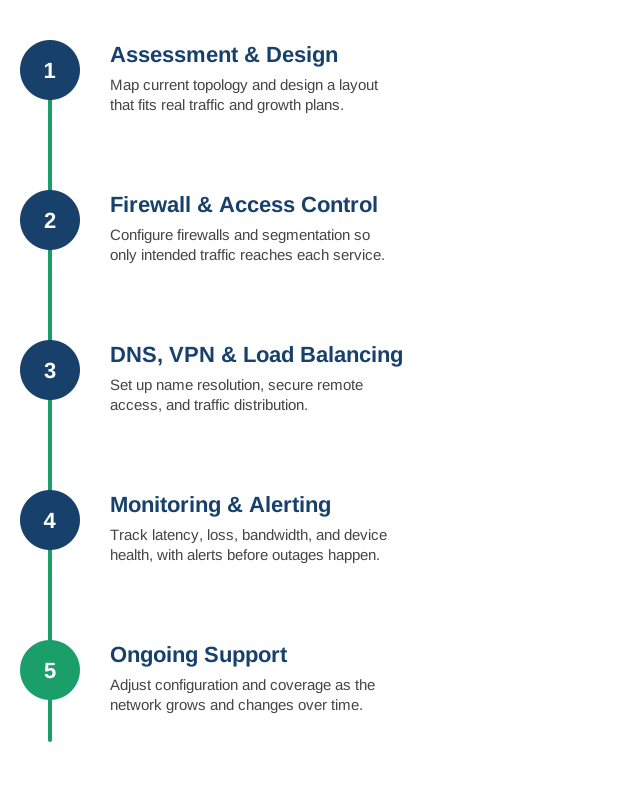
1. Network Assessment and Design
We review your current topology, identify bottlenecks or single points of failure, and design a network layout that fits your actual traffic patterns and growth plans.
- Topology review: mapping how traffic actually moves today, including undocumented shortcuts and legacy routes nobody remembers the reason for.
- Single points of failure: identifying the one switch, one link, or one router that would take everything down if it failed.
- Segmentation strategy: planning VLANs or subnets so that a compromised device in one segment can't freely reach everything else.
- Growth planning: designing IP addressing and layout with headroom for new sites, services, or a doubled headcount, not just today's device count.
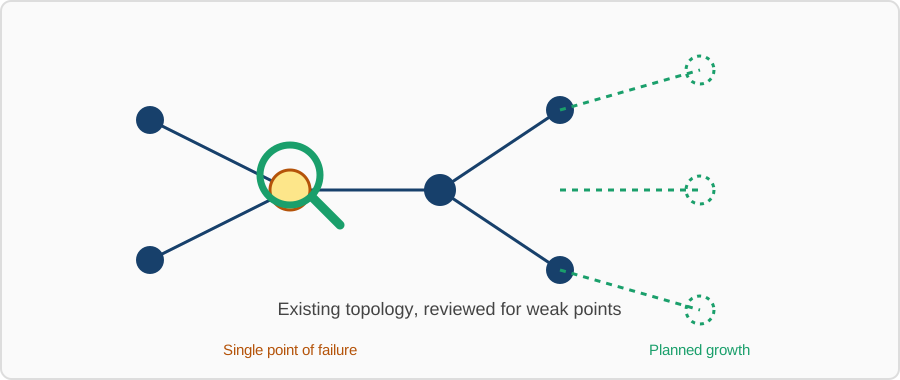
The output is a documented network diagram and design plan you can hand to any future engineer — not tribal knowledge that leaves when someone does.
2. Firewall and Access Control
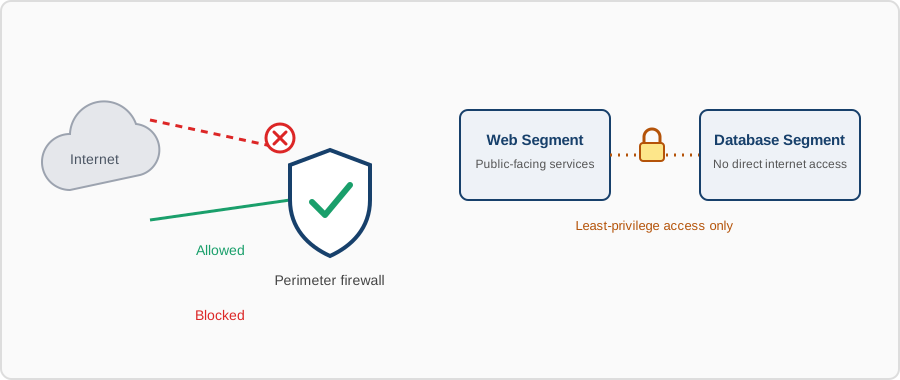
We configure firewalls, security groups, and network segmentation so that only the traffic that should reach a service can reach it — internally and at the perimeter.
- Perimeter rules: locking down inbound access to only the ports and sources that need it, denying everything else by default.
- Internal segmentation: restricting east-west traffic between internal segments, so a breach in one zone doesn't automatically mean access to all of them.
- Least-privilege access lists: access control rules scoped to specific services and sources instead of broad "allow all internal" rules.
- Rule hygiene: removing stale, overly broad, or duplicate firewall rules that accumulate over years of ad hoc changes.
3. DNS, VPN, and Load Balancer Setup
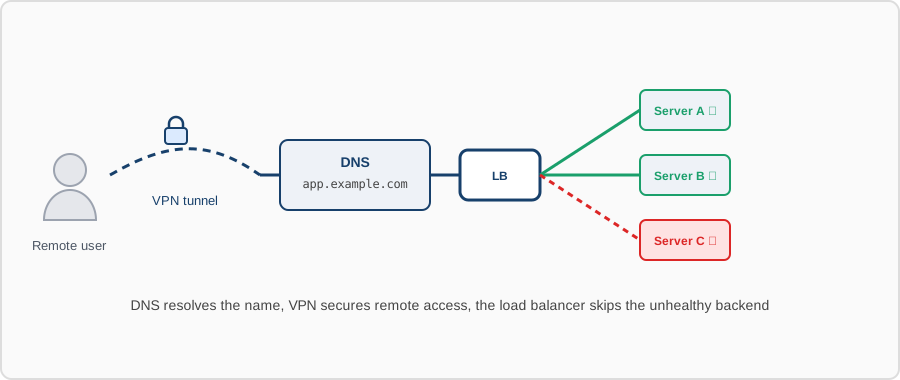
From internal DNS resolution to site-to-site VPNs and load balancer configuration across your web and application tiers, we handle the plumbing that keeps services reachable and traffic distributed correctly.
- Internal and split-horizon DNS: correct resolution for internal services without exposing internal names publicly.
- Site-to-site and remote-access VPN: secure connectivity between offices, data centers, and remote staff without exposing internal services directly to the internet.
- Load balancer configuration: Layer 4/7 load balancing with health checks, so traffic is routed only to instances that are actually healthy.
- Failover behavior: confirming what actually happens when a backend or link drops, before it happens for real.
4. Continuous Monitoring and Alerting
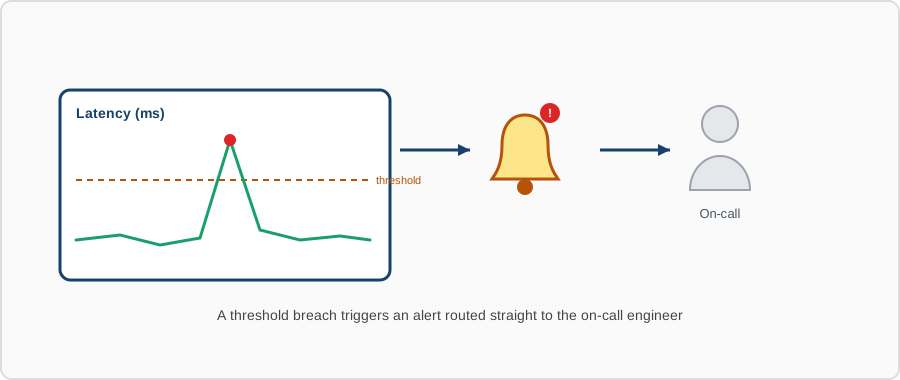
We set up monitoring for latency, packet loss, bandwidth usage, and device health, with alerts routed to your team before a degraded link turns into an outage.
- Traffic and flow monitoring: visibility into bandwidth usage and traffic patterns, including which services or devices are consuming the most.
- Latency and packet loss tracking: catching a degrading link before it fully fails, not after users start complaining.
- Device health monitoring: CPU, memory, and interface error rates on switches, routers, and firewalls — network gear fails too.
- Alert routing: alerts that reach the right person with enough context to act, not a noisy channel everyone eventually mutes.
5. Ongoing Support
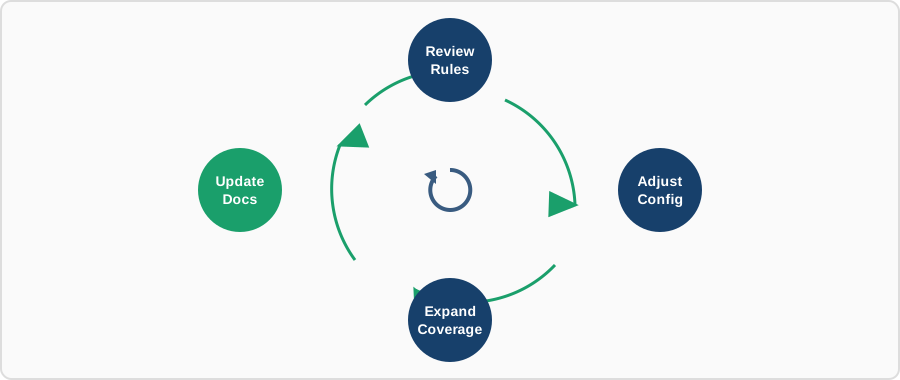
Networks change as infrastructure grows. We provide ongoing support to adjust configurations, review firewall rules, and keep monitoring coverage current as new services come online.
- Change management: network changes reviewed and documented before they go in, not made live and explained later.
- Periodic firewall rule review: catching rules that outlived the service they were created for.
- Coverage expansion: extending monitoring and segmentation to new sites, services, or cloud VPCs as they're added.
- Documentation upkeep: keeping the network diagram and rule rationale current, so it still matches reality a year from now.
Contact us to review your current network setup and monitoring coverage.