
Server Setup and Maintenance
We provide comprehensive server setup and maintenance services to ensure your infrastructure is robust, secure, and optimized for performance. Here's how we do it:
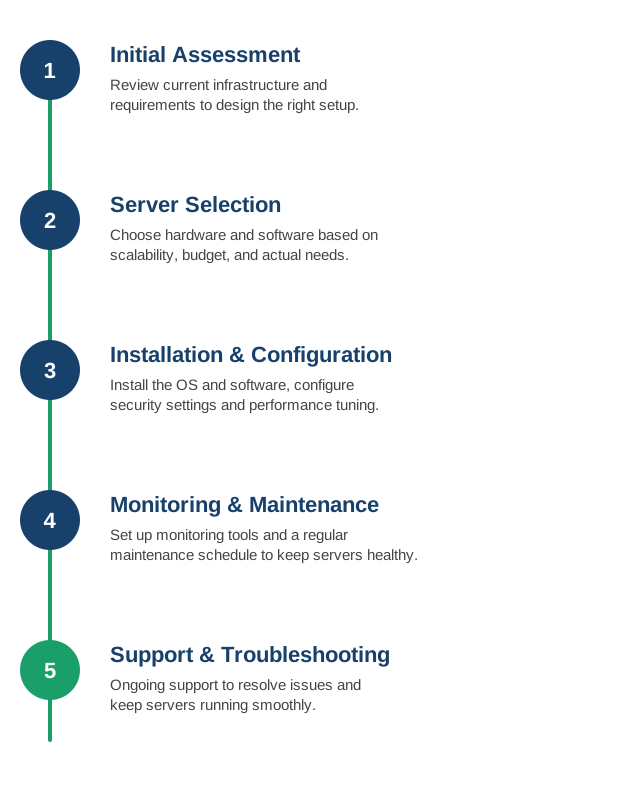
1Initial Assessment▾
Before touching any hardware or software, we conduct a thorough assessment of your requirements and current infrastructure — so the setup we design actually fits how your business runs, not a generic template.
- Workload requirements: what applications and services need to run, expected traffic and usage patterns, and peak-load scenarios.
- Current infrastructure audit: existing hardware, virtual machines, cloud resources, and software already in place, including what's outdated or underused.
- Growth projections: where the business expects to be in 12–24 months, so the setup doesn't need a redesign after the first growth spurt.
- Security and compliance needs: industry-specific requirements (e.g., data residency, encryption, access logging) that shape architecture decisions from day one.
- Budget and constraints: upfront hardware costs versus ongoing cloud spend, and any existing vendor or licensing commitments to work around.
The output is a written recommendation — not just a verbal plan — covering proposed architecture, estimated costs, and a rollout timeline, so you can sign off before any work begins.
2Server Selection▾
With the assessment in hand, we translate requirements into an actual shopping list — hardware, hosting, and software — rather than defaulting to whatever's easiest to provision.
- Physical vs. cloud vs. hybrid: owning hardware, renting cloud instances (AWS, Azure, GCP), or a mix, based on cost, control, and compliance needs.
- Sizing: CPU, RAM, storage type (SSD/NVMe vs. spinning disk), and network throughput matched to actual workload demands — not over-provisioned "just in case," and not undersized either.
- Operating system and stack: Linux distribution or Windows Server, plus the runtime, database, and web server stack your applications actually need.
- Vendor and licensing comparison: weighing providers and license models (perpetual vs. subscription) for real total cost of ownership, not just sticker price.
- Scalability path: confirming the chosen setup can scale vertically or horizontally later without a full re-architecture.
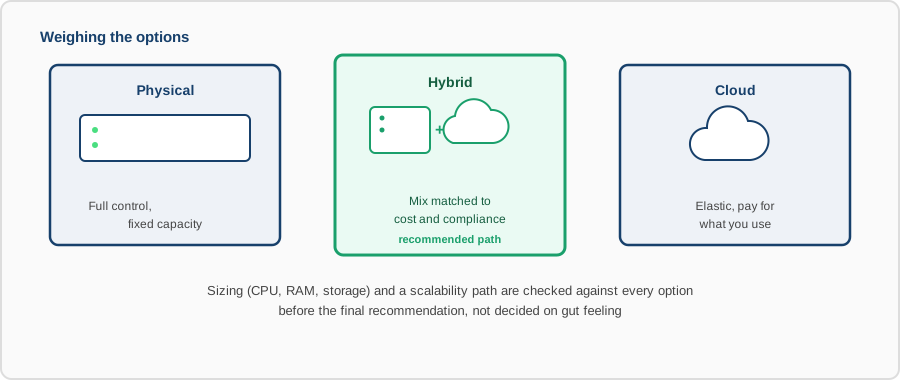
You get a clear comparison of the options considered and why we recommend the final choice — so the decision is transparent, not a black box.
3Installation & Configuration▾
This is where the plan becomes a running system — installed, locked down, and tuned, not just switched on with defaults.
- OS installation and hardening: a clean install with unnecessary services disabled, security baselines applied, and the attack surface kept to what's actually needed.
- Software and dependency setup: runtimes, databases, and application stacks installed at pinned, tested versions rather than "latest" and hoping for the best.
- Network and firewall configuration: only required ports open, internal services isolated from public-facing ones.
- Security settings: SSH key-based access, disabled root login, automatic security updates, and encryption for data at rest and in transit where applicable.
- Performance tuning: kernel parameters, connection limits, and caching configured for the actual workload rather than left at generic defaults.
- Infrastructure as Code: where it fits, configuration is captured in scripts or IaC (Ansible, Terraform) so the setup is reproducible, not a one-off manual job.
Before handoff, we document the configuration and credentials handling so the setup isn't a black box only we understand.
4Monitoring & Maintenance▾
A server that's healthy today can quietly drift into trouble — a filling disk, a creeping memory leak, an expiring certificate. We set up monitoring and a maintenance routine so those get caught before they become incidents.
- Resource monitoring: CPU, memory, disk usage, and network throughput tracked continuously, with alerts before thresholds turn into outages.
- Service and uptime checks: automated checks confirming the actual application is responding correctly, not just that the server is powered on.
- Log aggregation: centralized logs so troubleshooting doesn't mean SSH-ing into five different machines during an incident.
- Scheduled maintenance: OS and security patching, log rotation, backup verification, and certificate renewals on a set cadence, not "whenever someone remembers."
- Capacity trending: tracking usage over time to flag when a server is approaching its limits well before it becomes urgent.
You get visibility into server health, not just a promise that "it's being monitored."
5Support & Troubleshooting▾
Setup and monitoring reduce how often things break — they don't eliminate it. When something does go wrong, you get a real response, not a ticket queue that goes quiet for days.
- Responsive support: defined response times based on severity, so a down production service and a minor config question aren't handled on the same timeline.
- Root cause diagnosis: we dig into logs, metrics, and recent changes to find why something broke, not just restart it and move on.
- Direct incident handling: we work the problem ourselves — triage, mitigate, restore — with status updates as we go.
- Escalation path: a clear point of contact for urgent issues, instead of a generic support inbox.
- Post-incident follow-up: after resolution, we document what happened and put in place whatever prevents it from recurring — a monitor, a config fix, a runbook.
Tell us about your setup
We reply within one business day with a written recommendation scope.