
Disaster Recovery Planning and Implementation
Backups tell you data can be restored. Disaster recovery tells you the business keeps running while it happens — a distinction that only shows up the day a whole site, region, or provider goes down. We plan for that day specifically, then prove the plan actually works. For the data side of this, see our backup and recovery service.
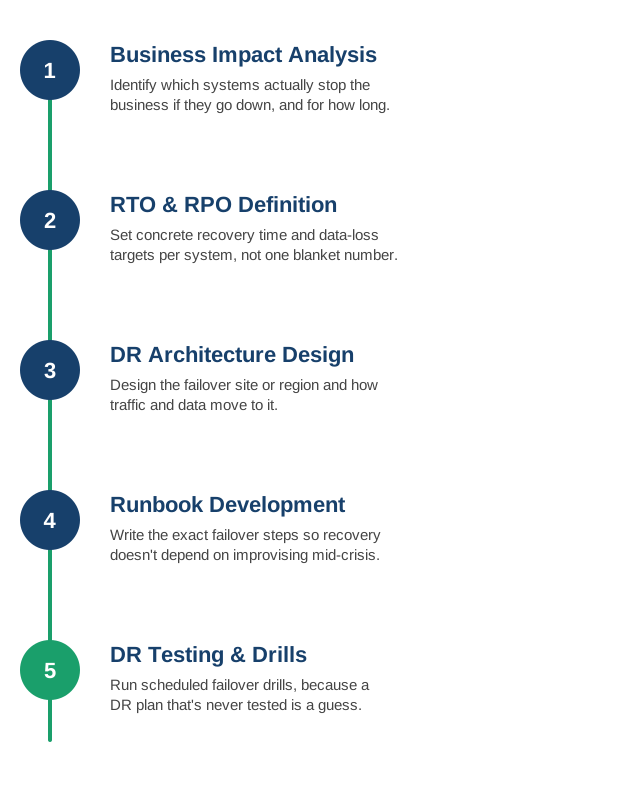
1. Business Impact Analysis
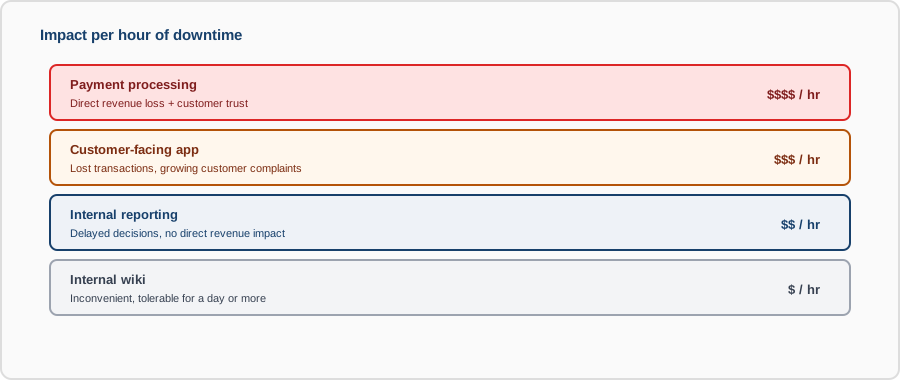
We identify which systems actually stop the business if they go down, and for how long each one can realistically be unavailable before it's a serious problem — not every system deserves the same level of investment.
- Critical system identification: separating what genuinely halts the business from what's merely inconvenient to lose temporarily.
- Financial impact per hour: putting a real number on downtime, which is what actually justifies DR investment to the business.
- Dependency mapping: tracing what each critical system relies on, since a "critical" app is only as resilient as its least-resilient dependency.
- Stakeholder sign-off: business owners confirming the impact assessment, so priorities aren't just IT's guess.
2. RTO and RPO Definition
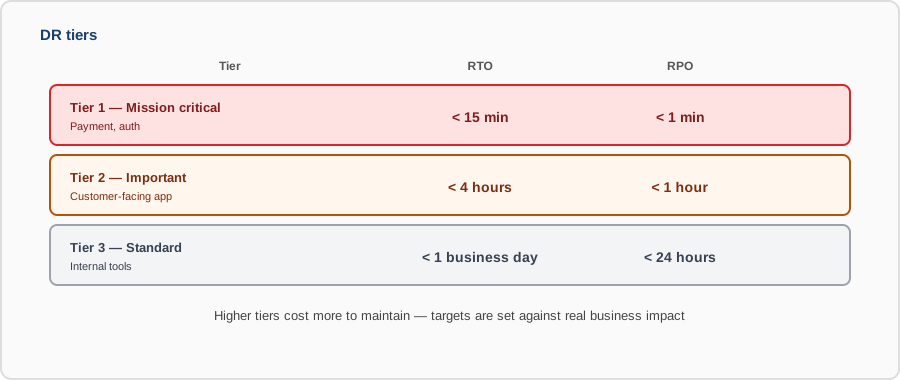
Recovery Time Objective and Recovery Point Objective are set per system based on that impact analysis, giving concrete, defensible targets instead of a vague "as fast as possible."
- Per-system targets: a payment system and an internal wiki don't need — or justify — the same recovery speed.
- Tiered targets: grouping systems into tiers (e.g., minutes, hours, next business day) instead of negotiating each one from scratch.
- Cost vs. speed tradeoff: faster RTO/RPO costs more to maintain — targets are set against what the business impact actually justifies.
- Documented and agreed: targets signed off by the business, not just assumed by whoever built the system.
3. DR Architecture Design
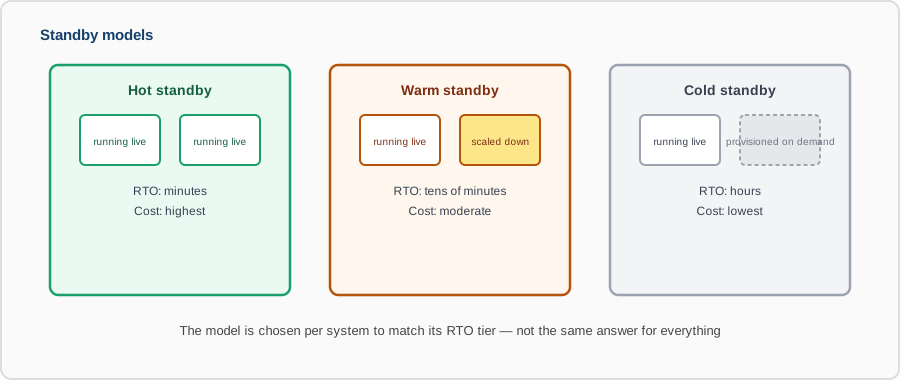
We design the failover site or region — how traffic redirects, how data replicates there, and what "acceptable" looks like while running on it.
- Hot, warm, or cold standby: choosing the failover model that matches the RTO target — hot for minutes, cold for systems that can wait longer.
- Data replication method: synchronous or asynchronous replication chosen based on the RPO target and what latency the primary site can tolerate.
- Traffic failover mechanism: DNS failover, anycast, or a load balancer switch — decided based on how fast redirection actually needs to happen.
- Capacity at the DR site: confirming the failover site can actually handle full production load, not just a scaled-down approximation.
4. Runbook Development
The exact failover steps are documented in advance, so recovery is executing a plan, not improvising decisions while the business is already down.
- Step-by-step failover procedure: the exact commands and sequence, not a general description of what should happen.
- Roles and responsibilities: who does what during a declared disaster, decided before anyone's under pressure to figure it out.
- Communication plan: who gets notified, in what order, and what they're told — internally and, where relevant, externally.
- Declared-disaster authority: a clear answer to "who actually calls this a disaster and triggers the plan."
5. DR Testing and Drills
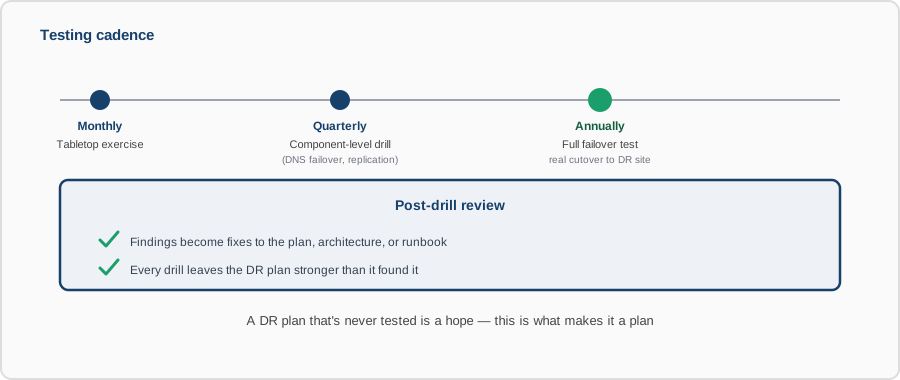
We run scheduled failover drills against the real DR setup — a disaster recovery plan that's never been tested is a hope, not a plan.
- Tabletop exercises: walking through the plan verbally to catch gaps before ever touching real infrastructure.
- Full failover tests: actually failing over to the DR site on a schedule, not just reviewing the plan on paper.
- Component-level drills: testing individual pieces (DNS failover, database replication) between full-scale tests.
- Post-drill review: every drill's findings turned into concrete fixes to the plan, the architecture, or the runbook.
Contact us to build a disaster recovery plan, or to pressure-test the one you already have.