
Containerization with Docker and Kubernetes
Containers solve real problems — inconsistent environments, slow deploys, wasted capacity — but only if they're set up deliberately. We take applications from "works on my machine" to running reliably on Kubernetes, without dragging along unnecessary complexity.
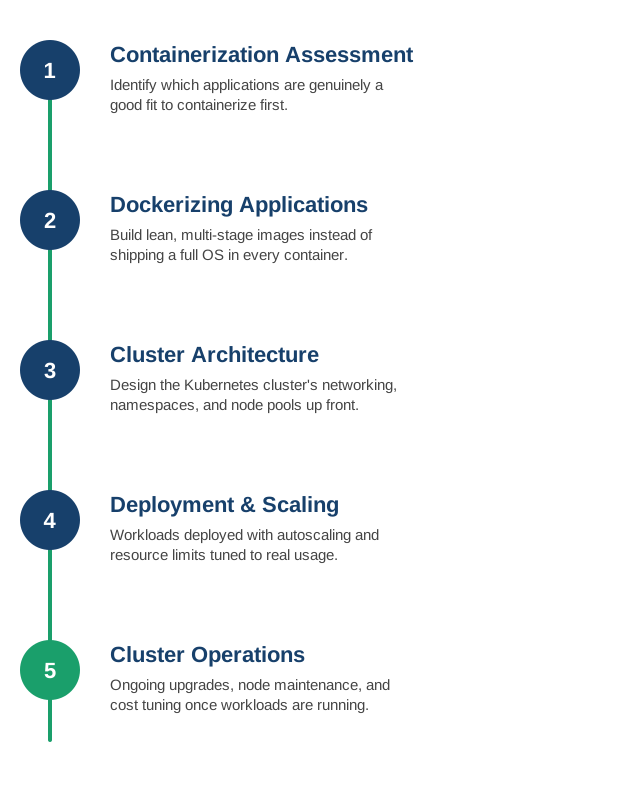
1. Containerization Assessment
Not everything needs to be containerized on day one — we identify which applications genuinely benefit first, and which can wait or don't need it at all.
- Statelessness check: stateless services containerize easily; stateful ones (databases, file stores) need a deliberate storage strategy first.
- Dependency audit: hardcoded paths, local file assumptions, and OS-specific quirks that need addressing before an app behaves the same in a container.
- Business value first: prioritizing applications where containerization actually solves a real pain point — deployment friction, environment drift — over ones where it's just trendy.
- Legacy application reality check: some applications cost more to containerize than they'd ever save, and that's a legitimate answer too.
2. Dockerizing Applications
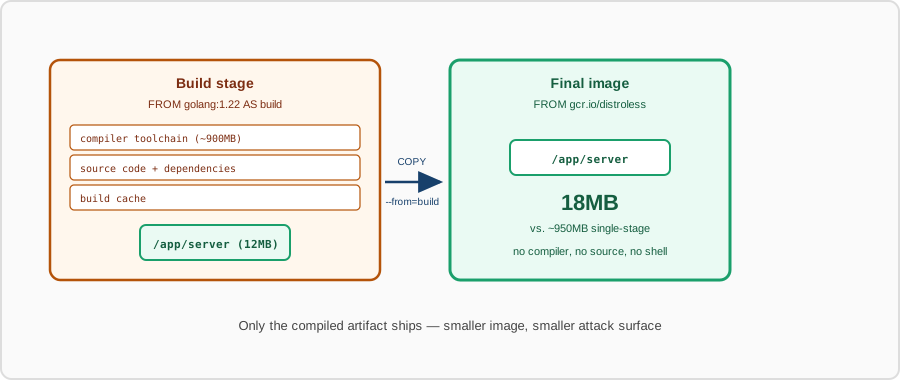
Lean, multi-stage Docker images built for the application's actual runtime needs, instead of a bloated image carrying build tools into production.
- Multi-stage builds: compilers and build tools stay in the build stage; only the compiled artifact ships in the final image.
- Minimal base images: slim or distroless base images that shrink both the attack surface and the pull time.
- Layer caching strategy: Dockerfiles ordered so dependency layers cache effectively and rebuilds don't redo unnecessary work.
- Non-root by default: containers run as an unprivileged user unless there's a specific reason not to.
3. Kubernetes Cluster Architecture
Cluster networking, namespaces, and node pools designed up front, so the cluster has a coherent structure instead of growing into one by accident.
- Namespace strategy: workloads separated by team or environment, with network policies enforcing boundaries between them.
- Node pool design: different pools sized for different workload types — general purpose, memory-heavy, or GPU — instead of one uniform pool for everything.
- Networking model: CNI plugin and ingress strategy chosen to fit traffic patterns and security requirements.
- Multi-tenancy decisions: whether teams share a cluster with strict isolation or get separate clusters, weighed against operational overhead.
4. Workload Deployment and Scaling
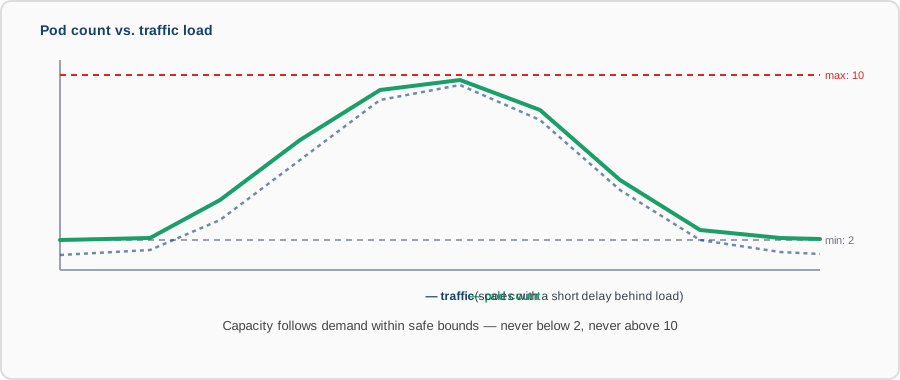
Deployments configured with sensible resource requests, limits, and autoscaling — sized to real usage, not guessed at and left alone.
- Resource requests and limits: set from actual observed usage, not copy-pasted defaults that either starve or waste capacity.
- Horizontal Pod Autoscaling: workloads scale out under load and back down when it passes, instead of running peak capacity around the clock.
- Helm charts or Kustomize: deployments templated and versioned, not a pile of one-off YAML files edited by hand.
- Rolling updates and readiness probes: new versions roll out gradually, with traffic only reaching pods that are actually ready.
5. Cluster Operations and Upgrades
Ongoing node upgrades, Kubernetes version updates, and cost tuning once workloads are live, so the cluster doesn't quietly become the thing nobody wants to touch.
- Version upgrade cadence: Kubernetes and node OS versions kept current on a schedule, not delayed until a forced, urgent upgrade.
- Node maintenance without downtime: draining and replacing nodes using the scheduler's own mechanisms, invisibly to running workloads.
- Cost visibility: per-namespace or per-team cost attribution, so cluster spend isn't just one opaque line item.
- Cluster-level monitoring: node health and control-plane metrics tracked alongside the workloads running on top of them.
Contact us to containerize an existing application, or to take over operating a cluster you already have.