
Security Updates and Patch Management
Unpatched systems are one of the most common ways businesses get breached — not through anything exotic, but through a known vulnerability that had a fix available for months. We keep systems current without turning every update into a risky, disruptive event.
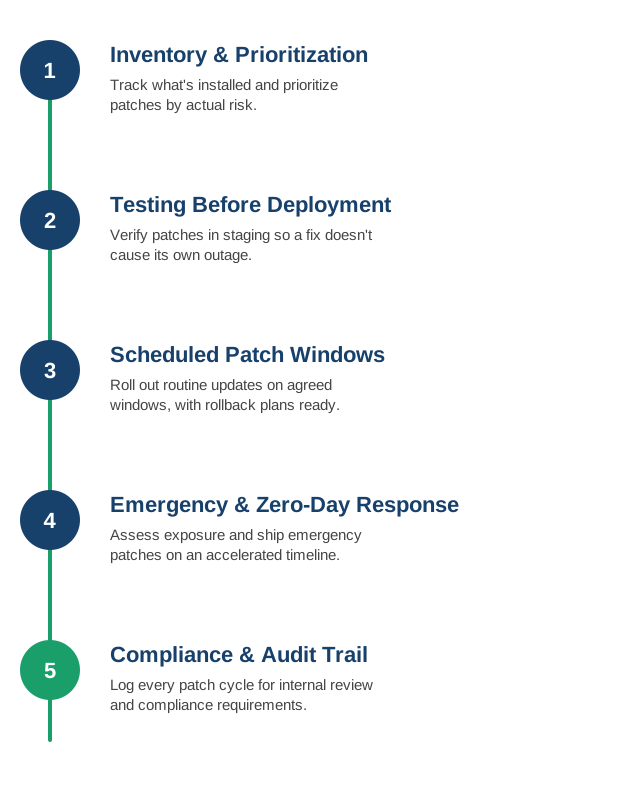
1. Patch Inventory and Prioritization
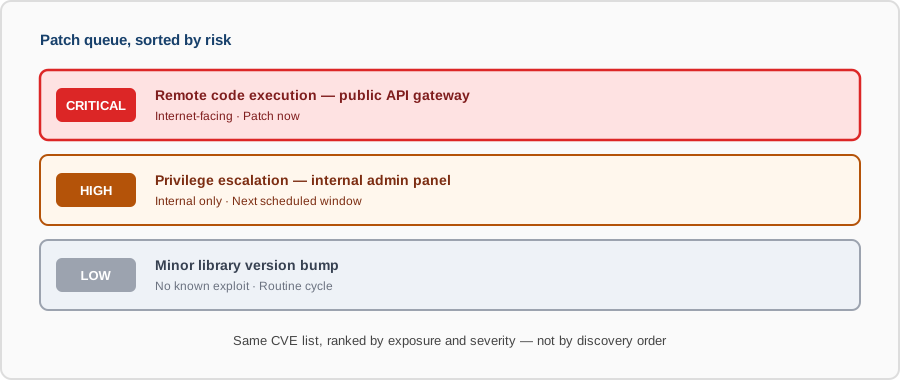
We track what's installed across your servers and services, and prioritize patches by actual risk — a critical remote-execution flaw on an internet-facing service doesn't wait for the same schedule as a minor library bump.
- Full asset inventory: a current list of OS versions, packages, and dependencies across every server — you can't patch what you don't know you're running.
- CVE severity scoring: prioritizing by CVSS score combined with actual exposure, not treating every advisory as equally urgent.
- Exposure-aware triage: an internet-facing service with a known exploit jumps the queue ahead of an internal tool with a low-severity bug.
- End-of-life tracking: flagging software approaching end-of-support before it stops receiving patches at all.
2. Testing Before Deployment
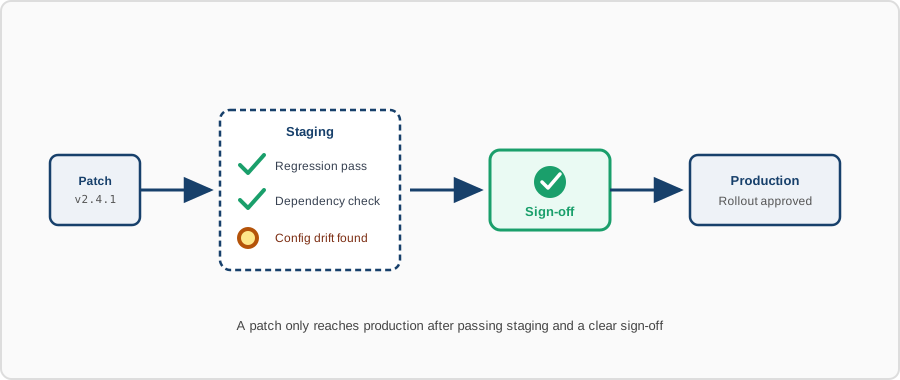
Patches get tested in a staging environment first, so a security fix doesn't become the cause of its own outage.
- Staging environment parity: testing against a setup that actually resembles production, not a scaled-down approximation that misses real issues.
- Regression checks: confirming core functionality still works after the patch, not just that the patch installed cleanly.
- Dependency compatibility: checking that a patched library or runtime doesn't break something else it's tightly coupled to.
- Sign-off before rollout: a clear go/no-go step before a patch reaches production, not an assumption that staging-clean means production-safe.
3. Scheduled Patch Windows
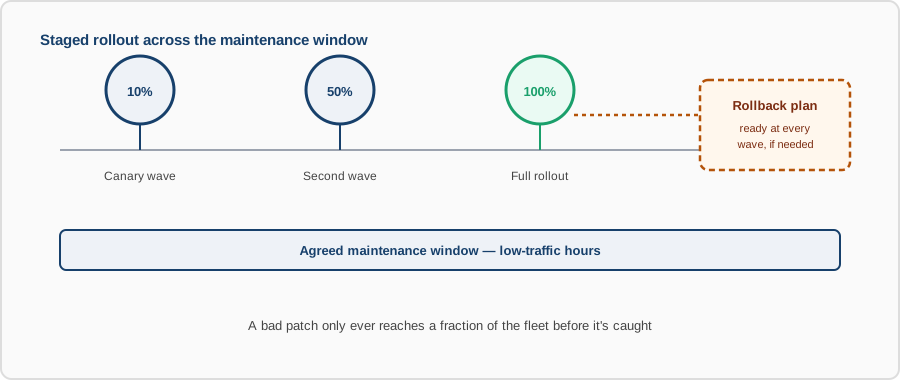
Routine updates roll out during agreed maintenance windows, with rollback plans ready in case anything doesn't behave as expected.
- Agreed maintenance windows: patch schedules set in advance and communicated, not sprung on the business without notice.
- Staged rollout: patches applied to a subset of servers first, so a bad patch affects a fraction of your fleet, not all of it at once.
- Rollback plans ready: a tested way back to the previous state before the patch goes out, not figured out after something breaks.
- Low-traffic timing: routine patches scheduled for windows that minimize impact if something does need a restart.
4. Emergency and Zero-Day Response
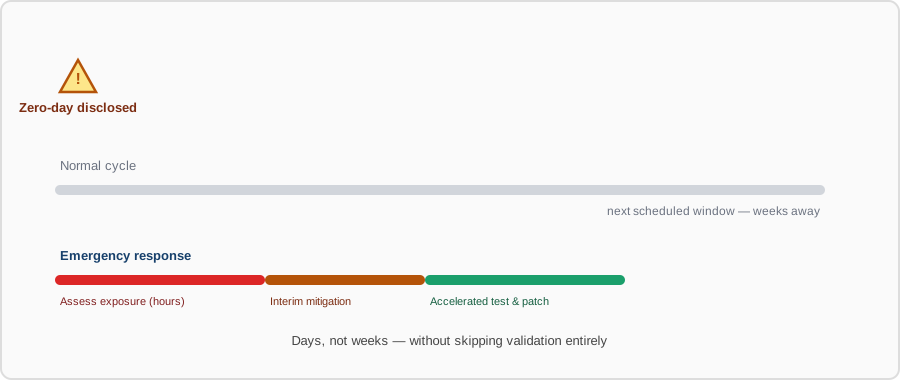
When a serious vulnerability is disclosed, we don't wait for the next scheduled window — we assess exposure and get emergency patches out on an accelerated timeline.
- Rapid exposure assessment: checking within hours whether a newly disclosed vulnerability actually affects your systems.
- Accelerated testing: a compressed but still real validation pass — skipping testing entirely just trades one outage risk for another.
- Interim mitigations: a firewall rule, feature flag, or config change to reduce exposure immediately if the full patch needs more time.
- Out-of-band deployment: pushing the fix outside the normal schedule when the risk of waiting outweighs the risk of an off-cycle change.
5. Compliance and Audit Trail
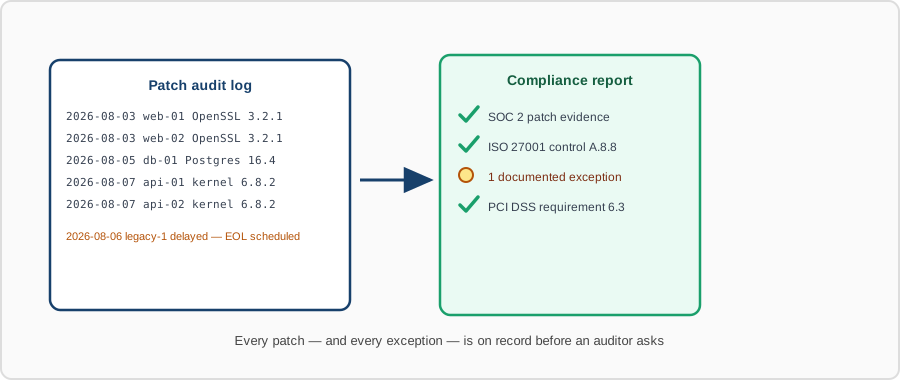
Every patch cycle is logged — what was applied, when, and to what — so you have a clear record for internal review or compliance requirements.
- Complete patch history: a record of what was applied, when, and to which systems, kept indefinitely rather than lost after the next change.
- Exception tracking: documenting why a patch was delayed or skipped on a given system, with a plan to close the gap.
- Compliance mapping: records organized to match what auditors and frameworks (SOC 2, ISO 27001, PCI DSS) actually ask for.
- Reportable at any time: current patch status available on demand, not reconstructed under pressure right before an audit.
Contact us to set up a patch management process, or to catch up a system that's fallen behind.