
Cloud Infrastructure Consulting (AWS, Azure, Google Cloud, Oracle Cloud)
Every major cloud provider will happily take your workload — the question is which one actually fits your workload, your team's skills, and your budget. We work across AWS, Azure, Google Cloud, and Oracle Cloud (OCI), and help you choose deliberately, set up a secure foundation, and keep spend under control once you're running.
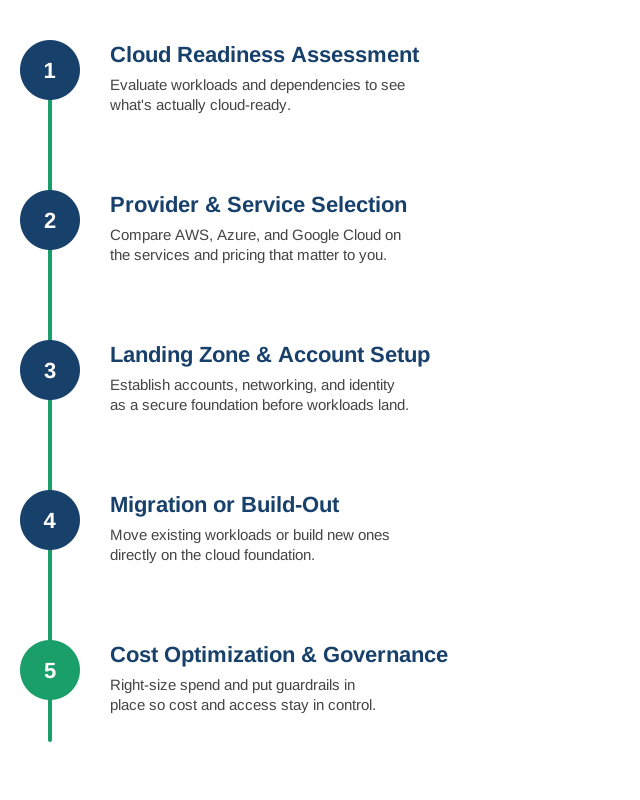
1. Cloud Readiness Assessment
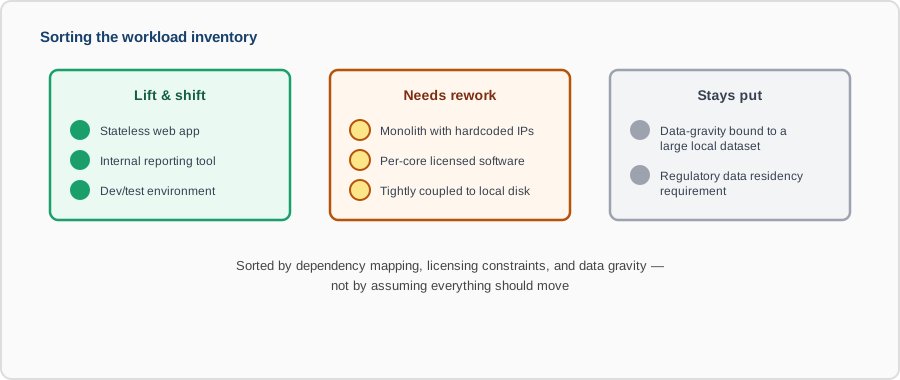
We evaluate your current workloads and dependencies to see what's genuinely ready to move, what needs rework first, and what should probably stay put.
- Dependency mapping: what each workload actually talks to, so nothing gets migrated in isolation and breaks on day one.
- Licensing check: software licensed per-core or tied to specific hardware, which can change the economics of a move entirely.
- Data gravity: where your largest datasets already live, since moving compute away from them can be more expensive than leaving both in place.
- Quick wins vs. rework: flagging workloads that can lift-and-shift versus ones that need re-architecting to be worth moving at all.
2. Provider and Service Selection
AWS, Azure, Google Cloud, and Oracle Cloud overlap on the basics but differ meaningfully on managed services, pricing models, and regional availability — we compare them against your actual requirements, not brand loyalty.
- AWS: the broadest service catalog and the deepest third-party ecosystem — usually the safe default for general-purpose workloads.
- Azure: the strongest fit when you're already deep in Microsoft — Active Directory, .NET, Microsoft 365 — and want tight integration.
- Google Cloud: a frequent choice for data analytics and ML-heavy workloads, and Kubernetes since GCP originated it.
- Oracle Cloud (OCI): competitive on compute and, notably, network egress pricing, and the practical choice when Oracle Database or Oracle applications are already core to the business.
- Multi-cloud where it's justified: sometimes the right answer is two providers for redundancy or negotiating leverage — we're clear about when that's worth the added complexity and when it isn't.
3. Landing Zone and Account Setup
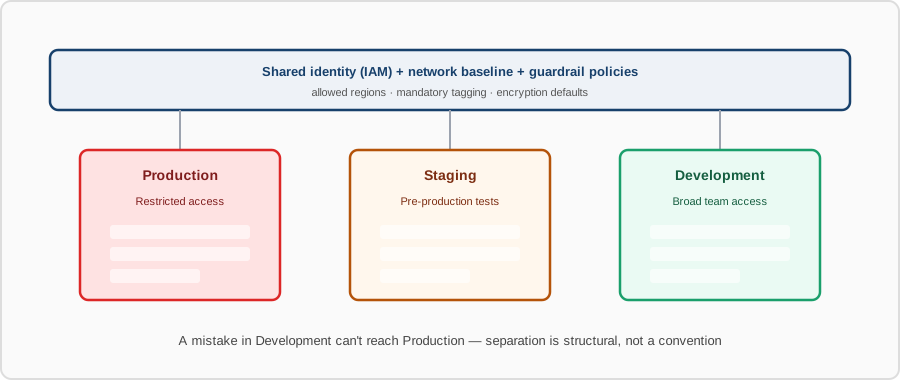
Before any workload lands, we establish the account structure, networking, and identity foundation — the guardrails that make everything built on top of it secure by default.
- Account/subscription structure: separating environments (prod, staging, dev) and teams so a mistake in one doesn't reach another.
- Identity foundation: centralized identity (IAM, Entra ID, or OCI IAM) with federated access instead of separate logins per environment.
- Network baseline: VPC/VNet layout, subnetting, and connectivity back to on-prem systems planned before workloads arrive, not patched in after.
- Guardrails as code: baseline policies (allowed regions, mandatory tagging, encryption defaults) enforced automatically, not left to convention.
4. Migration or Build-Out
Whether it's lifting existing workloads or building new ones cloud-native from day one, the move happens against the foundation already in place, not improvised as you go.
- Migration waves: workloads grouped and moved in stages by risk and dependency, not all at once.
- Cutover planning: DNS, data sync, and rollback steps defined in advance for each wave, so a bad migration can be reversed quickly.
- Cloud-native build-out: new workloads designed around managed services (managed databases, managed Kubernetes) instead of just replicating the on-prem setup in VMs.
- Validation per wave: functional and performance checks after each migration wave before moving on to the next.
5. Cost Optimization and Governance
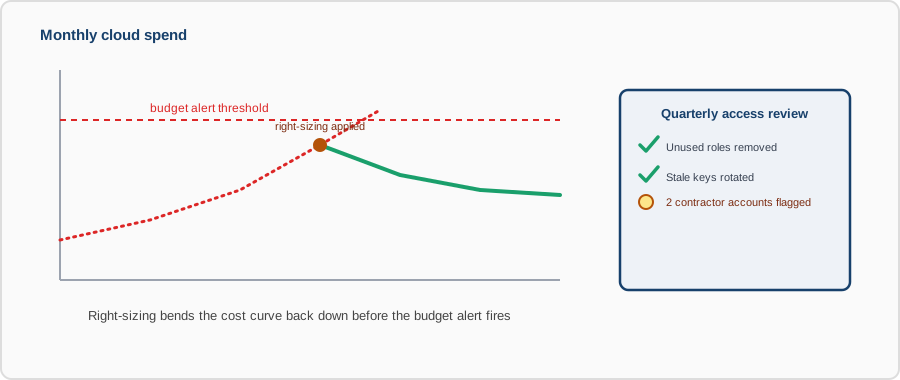
Cloud bills grow quietly. We right-size resources, set budgets and alerts, and put access governance in place so cost and control don't slip once the initial project is done.
- Right-sizing: matching instance types and storage tiers to actual usage instead of the size someone guessed at launch.
- Commitment discounts: reserved instances, savings plans, or committed-use discounts applied where usage is predictable enough to justify them.
- Budget alerts: spend thresholds that notify before a runaway resource turns into a surprise invoice.
- Access governance: periodic review of who has access to what, so cloud permissions don't accumulate the same way on-prem access does.
Contact us to review your current cloud setup, or to plan a move from scratch.